Image sensors and systems

  Wenglor

Image Vision sensors

Slikovni Vision senzorji

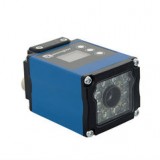
  • weQube is a smart camera with plenty of new features on a new powerful platform
  • Multicore technology - 5 high-performance processors
  • Intelligent, modularly designed software part
  • Three versions: as Vision sensor, Smart camera or 1D / 2D reader
  • Integrated camera, lenses, lighting and analysis module
  • Built-in auto-focus function
  • Extremely easy operation with Teach-in keys directly on the sensor or via the hyper-terminal
  • Special encoder input for connection
  • 6 freely adjustable digital I/O ports
  • Saving projects and settings to SD memory card - easy transfer to another sensor
  • OLED Display - easily change settings and operation information
  • FTP server
  • Teach + - fast and independent optimization of the system and settings
  • Ethernet TCP/IP interface
  • PROFINET, RS232

Functions:

  • Presence control
  • Dimension control
  • Sorting
  • Objects counting
  • Spot comparison
  • Shape analysis
  • Comparison with reference images
  • Statistical evaluation
  • Flexible image processing for more demanding applications
  • Detection of multiple objects with a longer distance to the object
  • Complete computer system with control computer and camera, changeable lenses and lighting
  • Projects can be recorded on an external USB stick
  • Image processing regardless of background
  • Direct review of processed images

Functions:

  • Points comparison
  • Object measurement
  • Position detection
  • Comparison of reference images
  • Determing the distance from object
  • Color image processing
  • Combinations of different functions

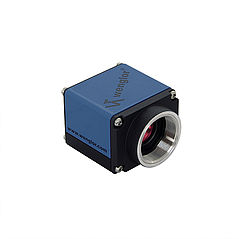
Image systems with cameras

Slikovni sistemi s kamerami


Functions or applications of image systems

  • Points comparison
  • Object measurement
  • Position detection
  • Comparison of reference images
  • Determing the distance from object
  • Color image processing
  • Combination of different functions
Description of individual functions or applications

Surface overview:
The sensor switches as soon as one point stands out from the background.

Shape analysis:
Surface, scope, and shape can be analyzed and interconnected independently of position and asymmetry.

Presence check:
This function assigns to the reference object points on the basis of which an average value is generated. If the sum of the points of the next object at the time of verification is greater than the average value, the object is registered as present and vice versa.

Point comparison:
This function assigns a point to the reference object and determines the upper and lower limit limitations for the current value of the number of points. If the sum of the points of the next object at the time of the check is not within the specified limits, then the output signal is switched. If the total number of dots is within certain limits, then the output signal does not switch.

Comparison of reference images:
The object must show the same characteristics and position as the object used in the reference comparison process (the object must be consistent with the reference image).

Position detection:
The function allows the direction of the object to be detected.

Reading and comparing data matrix codes:
The function allows you to read Ecc 200 data matrix codes and compare with the reference.

Object measurements:

The following values can be used when using the object measurement function:
  • Outer diameter (minimum, maximum and middle)
  • Inner diameter (minimum, maximum and middle)
  • The width and height of the rectangle bounding the object
  • The ratio of the width to the height of the rectangle bounding the object

Determing the distance from the object:
With this function it is possible to determine the distance between two objects. The following properties can be used:

  • Perimeter of the object
  • Position of objects in the x and y directions
  • Distance between objects

Counting objects:
This feature allows you to count objects. The following values can be specified:

  • Surface
  • Diameter
  • Density
  • Eccentricity
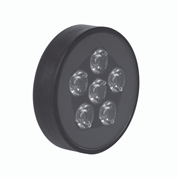
Illuminate units are available in the ring form, in the same form as the Vision sensors or in the form of a surface reflector light.

Illuminate units

Osvetlitvene enote

OCR reader

  • Automatic and reliable recognition of characters, text and logos on products and packaging
  • After a short learning, the reader remembers the logos and combinations of characters and numbers
  • Automatic focus adjustment
  • High reading speed
  • Different lighting for different applications